 vyn
vyn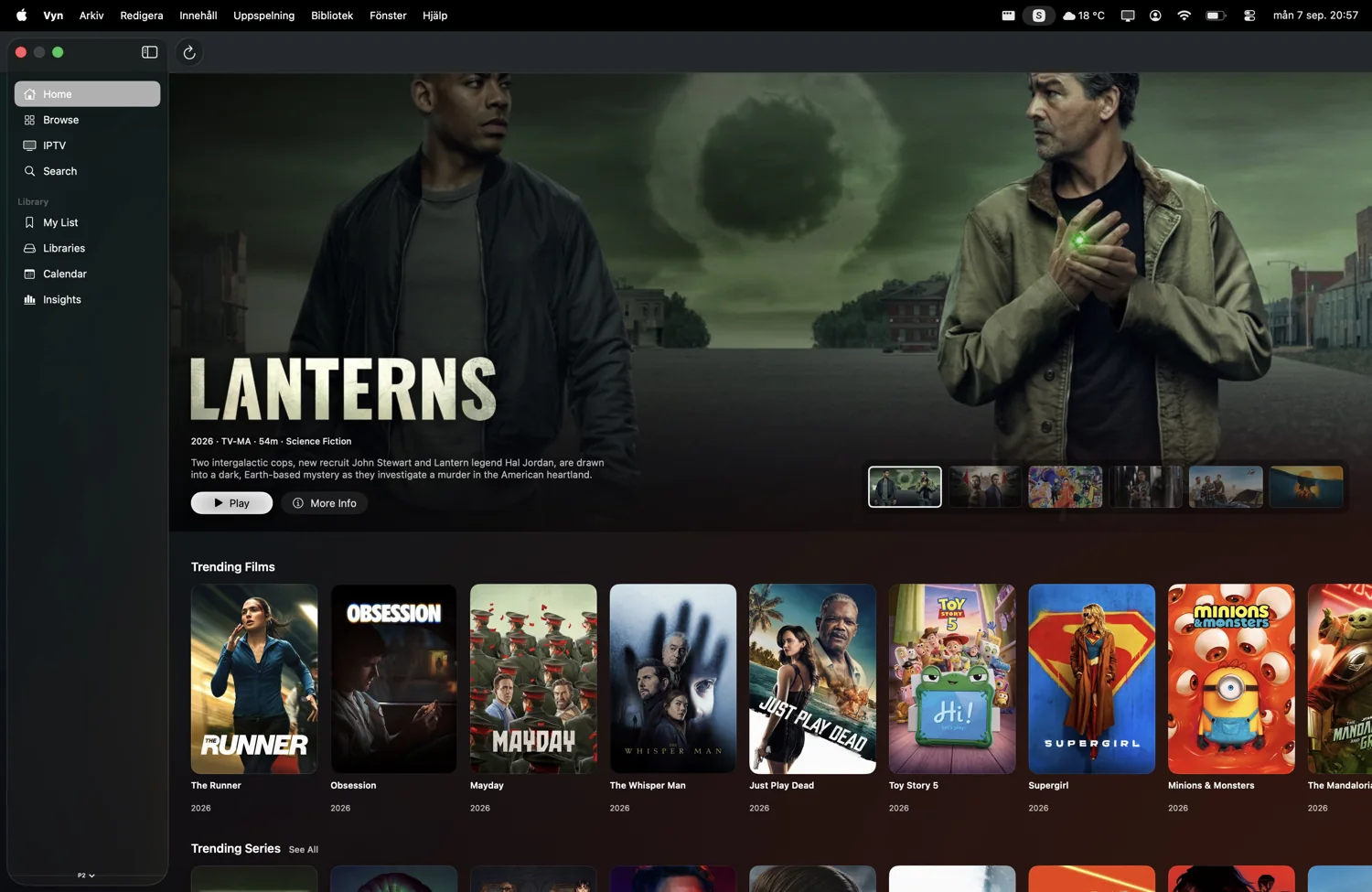
More than another list of posters
A long-running Plex library can contain more good films than you remember adding. Vyn puts discovery beside that collection. Follow an actor, explore a mood, look through a collection or inspect a show’s episodes, then see whether a connected source has something you want to play.
Vyn is a client for your personal Plex server. It does not provide a Plex server, sell access to someone else’s collection, or supply a streaming catalogue. The discovery catalogue and the media you can actually play are separate things.
Sign in, choose a server, settle in
- Choose Plex in Vyn’s source settings and complete Plex sign-in.
- Select the server you want to use.
- Browse your titles and open a movie or episode to see its available playback options.
Use a Plex account that can access the server. If you do not see expected media, check your account permissions and server selection. The server must be reachable from the device where you are using Vyn. Remote access depends on your own Plex setup and network.
If a connection works at home but fails elsewhere, test the server’s availability on that network before changing playback settings. Vyn support can help you narrow down a problem with the app.
Know what you are about to play
When available, Vyn displays resolution, HDR, audio and file information for a release. Pick a version that suits your screen and connection, then use the built-in player to change audio, select subtitles and adjust timing.
Vyn supports popular containers and codecs including MKV, MP4, H.264 and HEVC. Compatible 4K, HDR and Dolby audio playback depends on the original source and the capabilities of your device and equipment. It is better to inspect the available release than assume every file will behave identically.
Online playback, subtitles and Picture in Picture are part of the free experience. Vyn Plus adds extras such as AirPlay and additional connected sources, with availability depending on the platform.
Plex movies, without the connection
Vyn Plus can download compatible direct movie and episode files from Plex to iPhone or iPad. This is useful when you want a finished local copy for travel or unreliable connectivity.
The copy lives on the device. It is not synced to other screens, and HLS or transcoded manifests are not supported as downloads. Use Account → Downloads to check progress, pause or resume work, play a completed download, or remove it. Learn what works offline.
Make the whole experience yours
Reorder Home rows, hide what you do not use and create collections around what you enjoy. Connect Trakt or Simkl for watchlists, watch history and scrobbling, and use My Vyn for Continue Watching and upcoming episodes.
Plex can be part of a broader setup with Jellyfin, Emby or IPTV. Vyn brings those sources into the same browsing experience. You still control the services, accounts and content behind them.